


REGULAR PROGRAMS
CAMPUS / ONLINE
SFFS's regular program takes students from the fundamentals of CG, VFX, 3D animation, games, and commercial production all the way through to a professional-level portfolio — and a job.
Led by experienced instructors, the curriculum balances artistic creativity with technical precision, built around the same production environments and workflows used in the industry. From concept development to final compositing, students move through the full pipeline rather than learning tools in isolation.
Every student is taught at their own level. Progress is individual, and instruction follows.
3D COMPOSITE
Compositing is the invisible craft — the art of making CG and live-action footage feel like they were always in the same world.
This program covers the full compositing pipeline in Nuke,
from keying and rotoscoping to multi-pass CG integration and camera tracking.
You'll learn to see what's off and fix it. It's the skill that keeps a shot from falling apart in the final cut.
CURRICULUM


BASIC & MODELING
- Interface
- Basic Shading
- Basic V-ray
- Basic Modeling Exerciese
- modeling Exercise

UV & TEXTURE
- UV Map
- V-ray Material
- Subdivision
- Textureing

SHADING & LIGHTING
- Basic Shading
- Basic Lighting
- Textureing
- Physical Light
- IES


CAMERA & RENDERPASS
RIGGING & ANIMATION
- Basic Camera
- Using 3D Camera
- Basic Render pass
- Render pass Setting
- Compositing
- Basic Rigging
- Basic Animation
- Constrain
- Set Driven
- Motin path
- Key animation
- Expression
- Motion Capture


Tool Basics
UV & TEXTURE
Texture Creation
Export & Pipeline Integration
- Understanding the UI and project settings
- Understanding the viewport, layers, and material panel
- Concept of the PBR workflow
- UV layout and mapping optimization
- Basic normal and ambient occlusion baking
(Baking affects the quality of the final texturing result)
- Smart materials and masks
- Layer-based painting
- Adding details
(scratches, roughness, metallic adjustments)
- Exporting texture maps
- Applying textures in Maya, renderers, or game engines
(Project-based practice included)

(+ Ai)

Getting Started in Nuke
- Alpha & Rotopaint 1
- Premult & Rotopaint 2
- Color, Focus, Grain match & Mask
- Cornerpin & Blend mode
- Sequence, Project setting, Rotoscoping
- Animation (2d matchmove), Curve editor, Tracker Export
- Retime, Append clip, Framehold, Denoise
- Grain, Blend mode, Write (render)
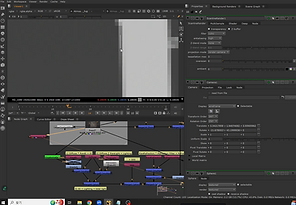
Compositing & 3D in Nuke
- Tracking 1, Auto stabilize, User stabilize
- Tracking 2, Remove 1, Rotopaint 3
- Tracking 3, Remove 2, Cornerpin Matchmove
- Channel & Mask, Composite detail
- Screen Keying 1, keylight, primatte, keymix
- Screen Keying 2, IBK gizmo, Despill
- Pass comp 1 ( V-ray )
- Pass comp 2 ( V-ray )

Ediging & Demo Reel Prod.
- Copycat Base (AI machine learning)
- Copycat Remove (AI machine learning)
- Copycat Rotoscoping (AI machine learning)
- AI depth create (Focus match)
- Camera tracking (nuke), Projection work flow 1
- Projection work flow 2
- Syntheyes Camera tracking, maya to nuke work flow 1
- Projection work flow 3